Sales and point of sale
From an offer to a paid invoice, at the till or in the office.
A till for the counter, invoices and quotes for the office, in one program.
At the till you issue an invoice in a few taps, paid by card or cash, on a receipt printer or A4. In the office you create quotes, orders and work orders and turn them into an invoice in one click, with no retyping.
- Fast till for the counter and the phone
- Recurring invoices that are issued and fiscalized on their own
- HUB-3A payment slip and gift vouchers
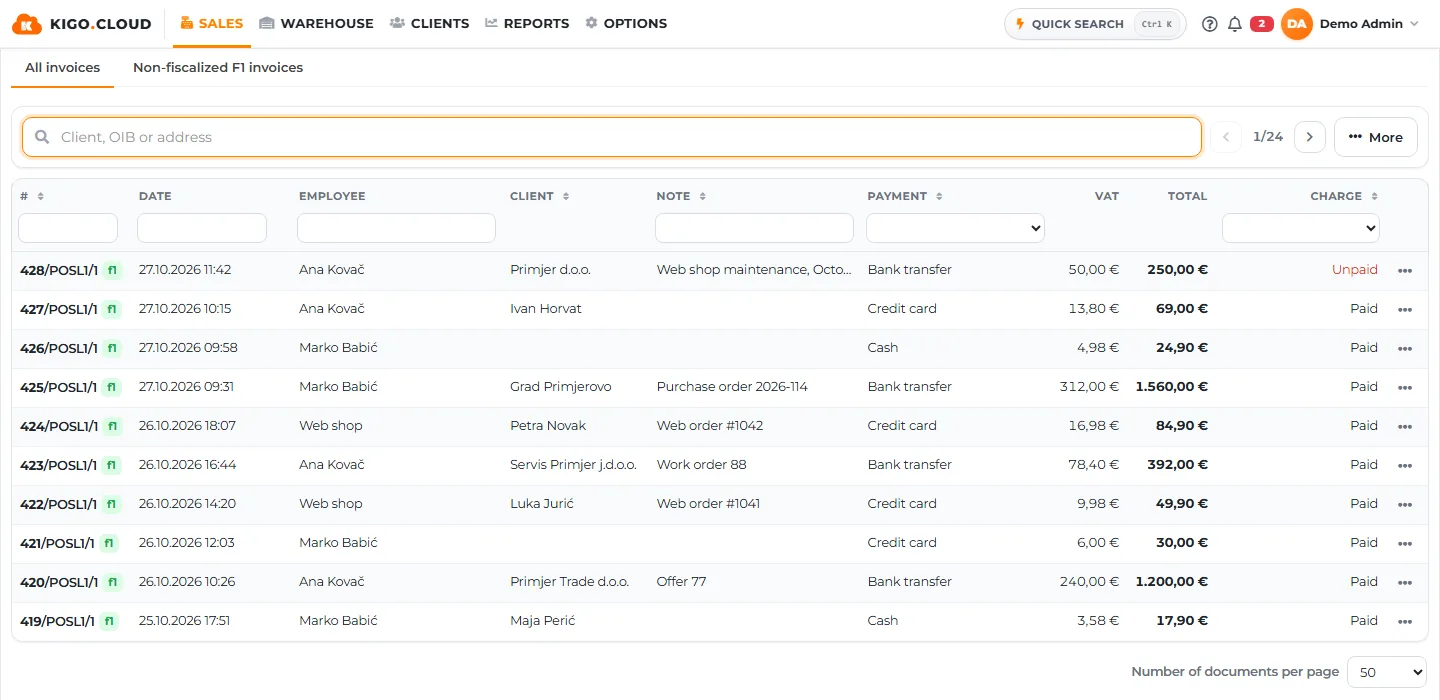
An invoice from the keyboard, without a mouse.
You type a code or barcode and press Enter, and a USB barcode reader works with no setup. You add the customer for an R1 invoice with F2, and a customer discount applies to the lines by itself. F6 closes and prints the invoice, F12 reverses a closed one.
- Cash, cards by type, transfer and your own payment methods
- A note on the invoice and tips
- Receipt printer or A4, opening the drawer
| Key | Action |
|---|---|
| F2 | R1 customer |
| F4 | Add item |
| F6 | Close and print |
| F12 | Storno |
Recurring invoices issue themselves.
For maintenance, rent or a subscription you make a template: weekly, monthly or on your schedule, from a start date. On that day the program creates the invoice or quote and e-mails it to the customer. The template shows every past and future run.
- Recurring invoices and quotes
- Automatic sending by e-mail
- List of past and future runs
| Run | |
|---|---|
| 01.10. | Issued and sent |
| 01.11. | Issued and sent |
| 01.12. | Next |
Vouchers are sold at the till and spent on an invoice.
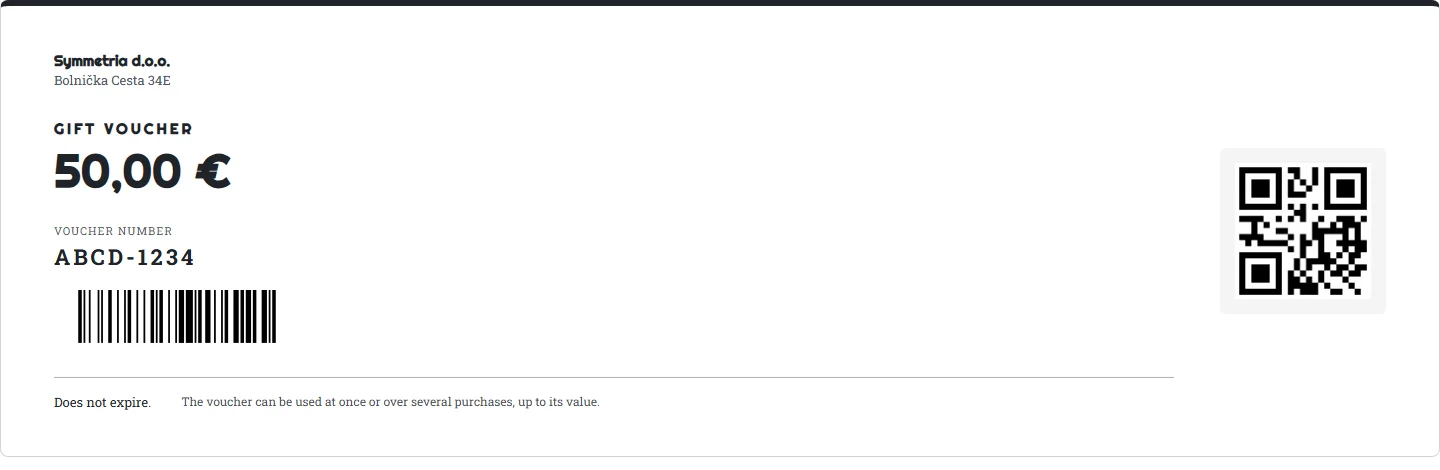
You save a voucher type, for example 50 € valid for 6 months. A voucher gets its number when sold and the customer gets it printed or by e-mail. When paying with it you scan the barcode and the amount is deducted, the rest stays for the next purchase. A used voucher cannot be used again.
- Valid 3, 6, 9 or 12 months from sale
- Vouchers in advance for printed cards
- Sales in a Shopify shop
What Sales and point of sale includes
- Invoices, offers and work orders
- Point of sale screen for fast invoicing
- Recurring invoices and offers, fiscalized automatically
- Customer orders
- Invoice from an offer, work order or order
- Splitting an offer into several supplier orders
- Discount per line and for all lines in one click
- Vouchers and gift cards: sold at the till, printed and e-mailed
- Bulk sending and payment marking of invoices
- List of issued invoices with export
- Cards and other payment methods
- HUB-3A payment slip on invoices and offers
- Printing to a receipt printer and A4, cash drawer opening
One quote, and from it the order, the work order and the invoice.
Documents are linked, so you always know where an invoice came from. A large quote can be split into several purchase orders to suppliers.
| From the quote | |
|---|---|
| Customer order | Created |
| Work order | In progress |
| Invoice | Waiting |
In every plan, from Starter.
Registration is free and needs no card. You can change the plan as the business grows, with the same data.
| Starter | Standard | Business | Premium | |
|---|---|---|---|---|
| Invoices, quotes, work orders | ✓ | ✓ | ✓ | ✓ |
| Recurring invoices and quotes | ✓ | ✓ | ✓ | ✓ |
| Gift vouchers | ✓ | ✓ | ✓ | ✓ |
| Customer and supplier orders | – | ✓ | ✓ | ✓ |
| Bulk sending and payment | – | ✓ | ✓ | ✓ |
Frequently asked questions
Do I need a special till device?
No. The till runs in the browser on a computer, tablet or phone and prints on a receipt printer or A4.
Can I turn a quote into an invoice?
Yes. A quote, work order or order becomes an invoice in one click. A quote is not fiscalized, the invoice is fiscalized when issued.
Related areas
Fiscalization and e-invoices
Fiscalization 2.0 and e-invoices in every plan, sent and received.
VAT and regulations
What the regulations require on an invoice, built into document creation.
Invoice design
A document that looks like your company, without a designer.
Advance payments
A job paid in several instalments is handled as one whole.
Cash register
Cash in the till recorded from the first to the last invoice of the day.
Customers and receivables
Who owes, how much and since when, for every customer.
Software that more than a thousand Croatian companies already rely on.
Kigo.Cloud is made by Symmetria d.o.o. from Zagreb and BID Grupa d.o.o. from Rijeka, a team building invoicing and fiscalization software since 2013, with support in Croatian and English.
Start working in Kigo.Cloud
Signing up is free, no card needed. For questions, write to us at [email protected].