
Online booking
The customer books an appointment, and you see it in the calendar.
Customers book a slot themselves, you see it in the calendar.
The public booking page works even when you cannot take the call. The customer adds photos and manages the booking from the e-mail. You see how many visits turn into bookings.
- Public booking page
- Cancelling a confirmed booking with a reason
- Conversion tracking
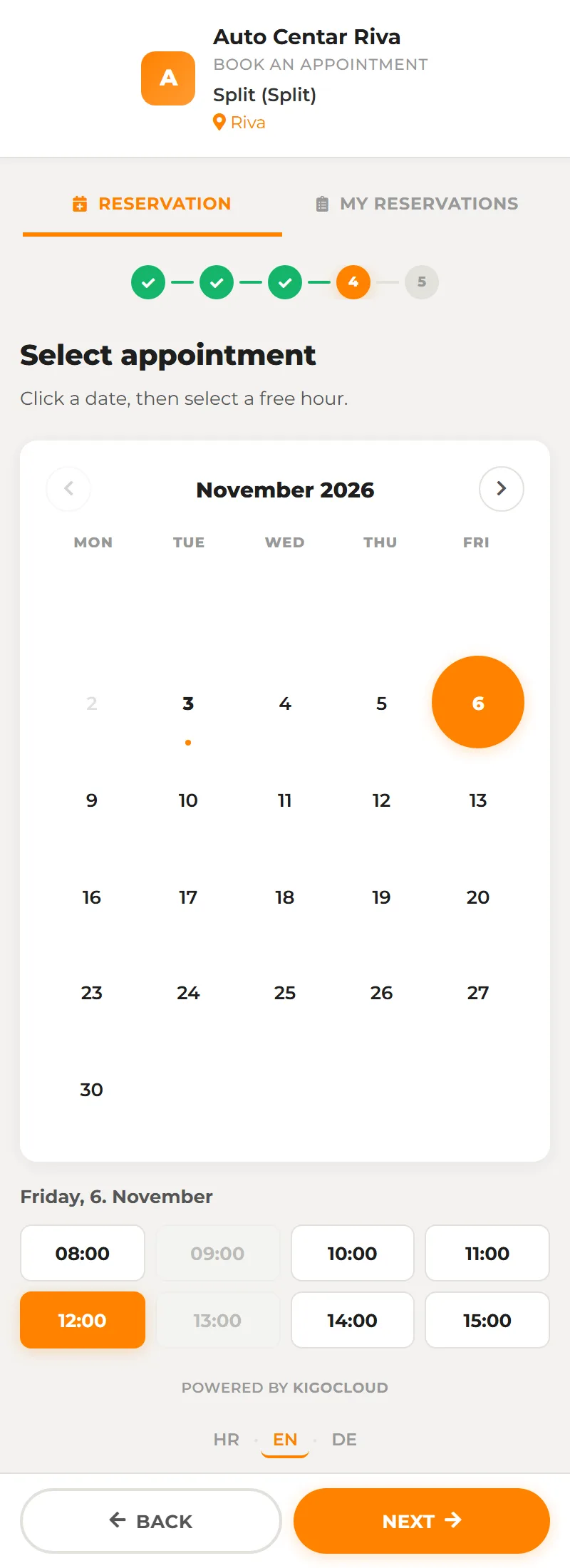
Your booking page, with your logo and colours.
You share the link on your website, Google or by message. The page shows your name, address, logo, colours and service description. Free slots are worked out from opening hours minus existing bookings and calendar events.
- Vehicle service or any service: hairdresser, beautician, trainer
- For a vehicle the customer enters make, model, VIN and mileage
- Different opening hours per location
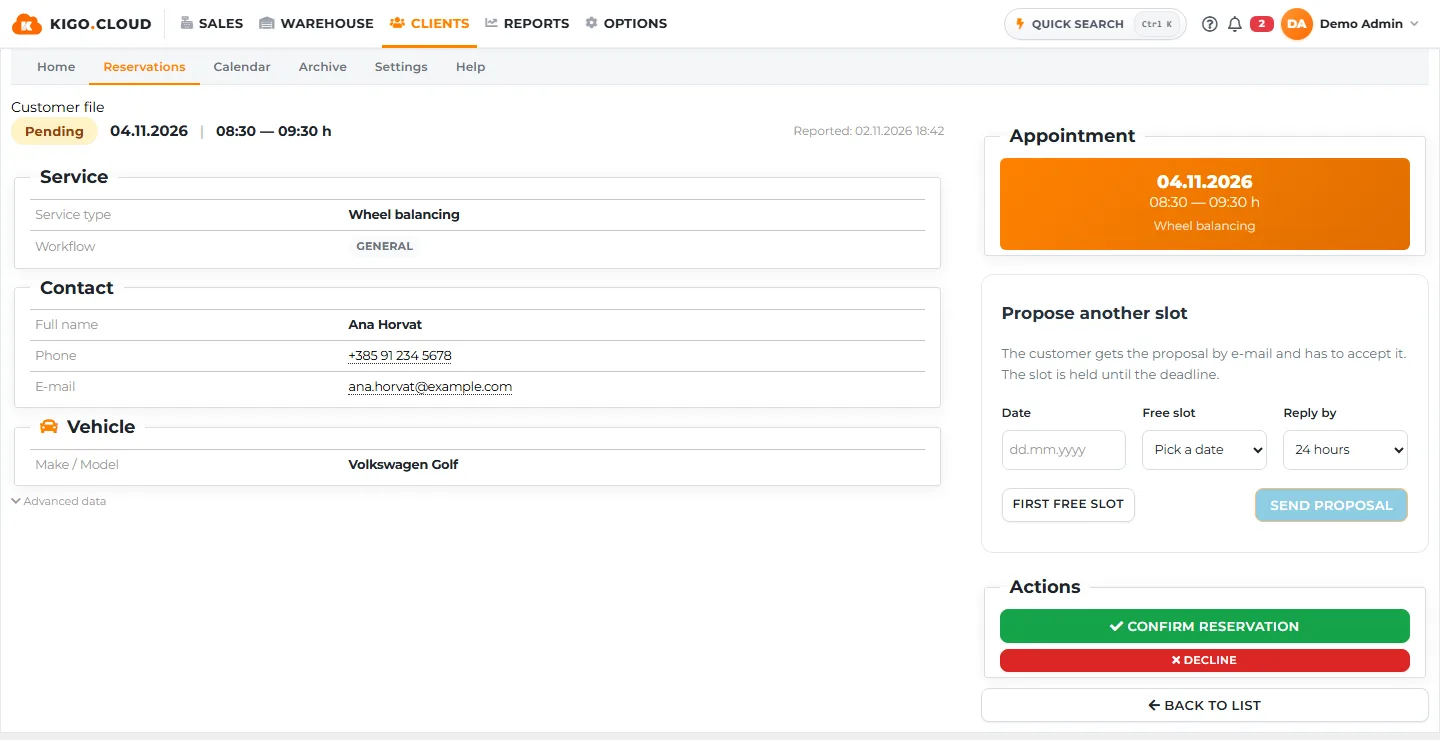
The customer gets a confirmation and a reminder, you get a notice.
A new booking waits for your confirmation, and you get an e-mail and a notice in the program. When you confirm, the customer gets a second message, and before the slot the program sends a reminder by itself. For routine slots you switch on automatic confirmation.
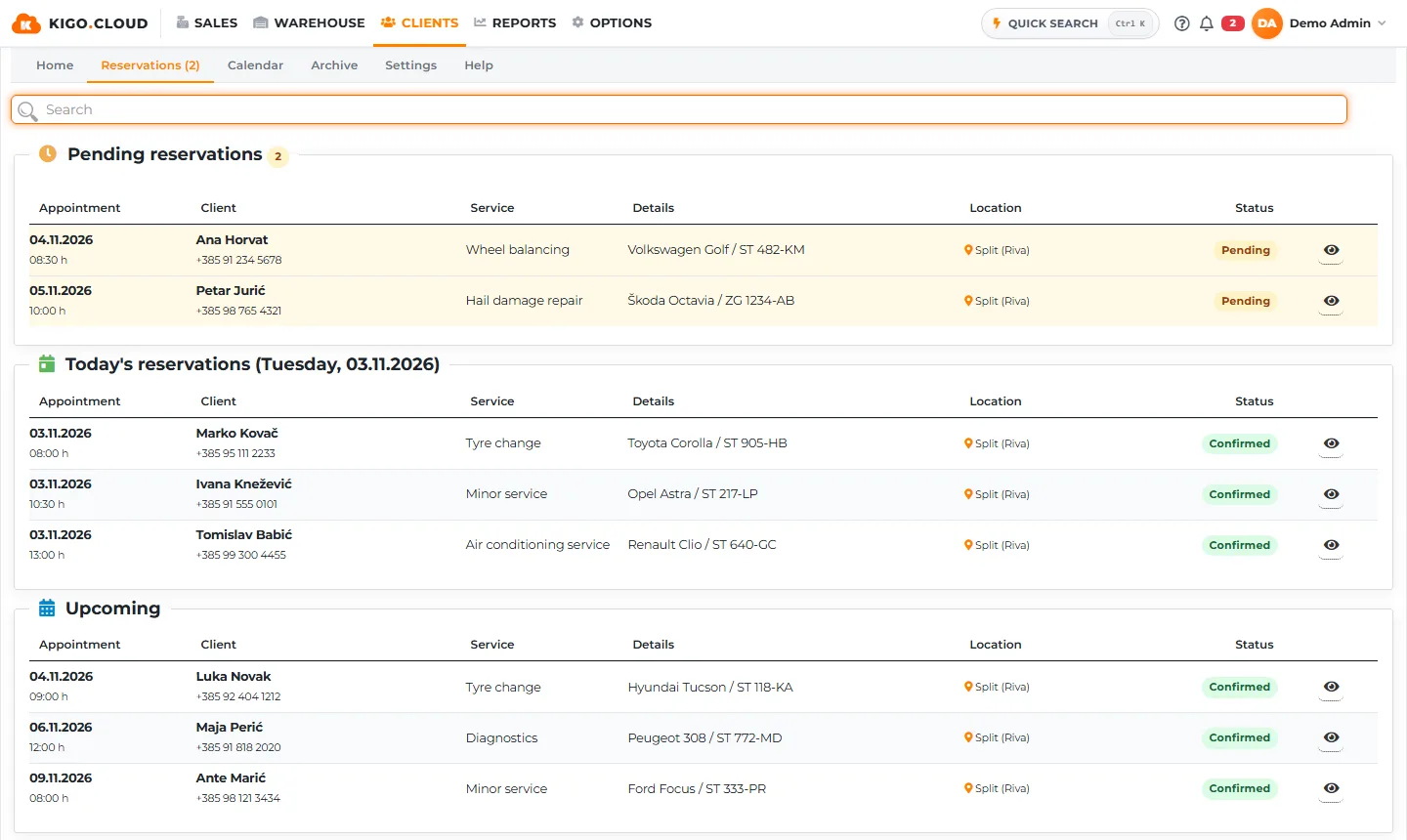
- Pending, confirmed, done or no-show
- E-mail reminder before the slot
- Vehicle intake from the booking in one click
What Online booking includes
- Public page for booking an appointment
- Photos with the booking
- Managing the booking from the e-mail
- Cancelling a confirmed booking with a reason
- Appointment calendar
- Bookings overview and archive
- Conversion tracking
From the Business plan.
Registration is free and needs no card. You can change the plan as the business grows, with the same data.
| Starter | Standard | Business | Premium | |
|---|---|---|---|---|
| Online booking of slots | – | – | ✓ | ✓ |
| Calendar and conversion | – | – | ✓ | ✓ |
Frequently asked questions
Does online booking work without vehicle service?
Yes. With the booking type General service the customer picks an employee and a service, so it suits hairdressers, beauticians or trainers.
Do I have to confirm every booking by hand?
No. Switch on automatic confirmation and every booking is confirmed at once.
Related areas
Vehicle sales
Car dealership: from the vehicle entering stock to the customer invoice.
Vehicle service
From the booking and vehicle reception to the order, goods issue and invoice.
PDR
Hail dent repair: assessment per panel and a price from the price list.
Assembly
Assembly by order, with a planner and a screen in the workshop.
Complaints
Every complaint has an owner, a deadline and a status the customer can see too.
CRM
Sales leads, tasks and orders with the same customers as on the invoices.
Software that more than a thousand Croatian companies already rely on.
Kigo.Cloud is made by Symmetria d.o.o. from Zagreb and BID Grupa d.o.o. from Rijeka, a team building invoicing and fiscalization software since 2013, with support in Croatian and English.
Start working in Kigo.Cloud
Signing up is free, no card needed. For questions, write to us at [email protected].